Webhook Payloads for Rescheduled Events
See how webhook payloads change when invitees reschedule events
See how webhook payloads change when invitees reschedule events
When an invitee reschedules an event, both webhook events (invitee.created and invitee.canceled) will be triggered.
Understanding the payloads
When you receive the payloads at your URL, take note of a few key differences between the payloads:
- the
invitee.canceledwebhook payload will contain the data for the event that was canceled and include the value oftrueon therescheduledkey. WhenFalseshows on therescheduledkey, this indicates the event has not been rescheduled and is solely a canceled event by an invitee.
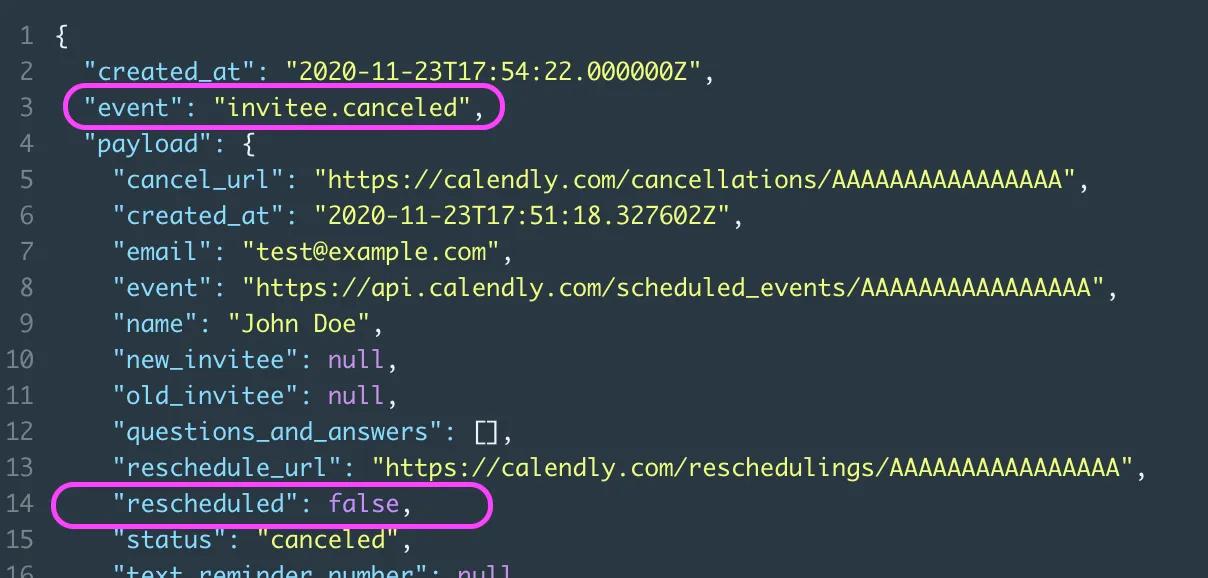
- The
invitee.createdpayload will contain the event data for the new event created from the reschedule. You’ll notice thestatusof the event is nowactivesince the invitee is attending this newly created event (the rescheduled event from the canceled event.)
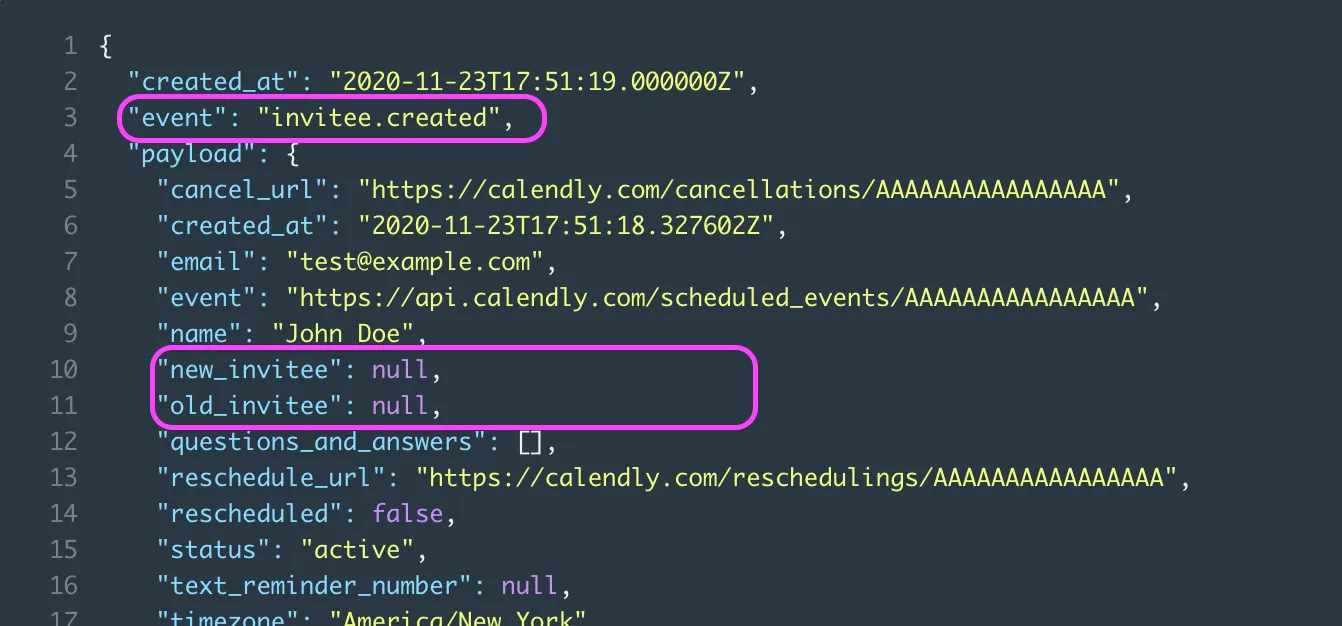
- Please note that you can reference the value for the new invitee URI and the old invitee URI in this payload
The old (old_invitee) and new (new_invitee) URI references are located on the invitee model, and not the event model since the reschedule is per invitee and not the per event.
When making a call for the invitee resource /scheduled_events/{event_uuid}/invitees/{invitee_uuid}, there is a key of status which will indicate if this is an active invitee.